
Crop, Trim Video Editor
Eco Mobile EditorVideo Players & Editors
4.6112.00 Reviews
- Version
- 1.2.7
- Installs
- 1.00M
- Age Rating
- Everyone
Screenshots
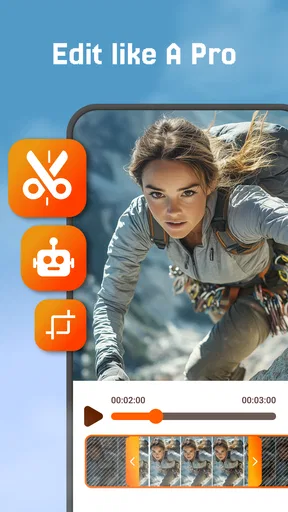
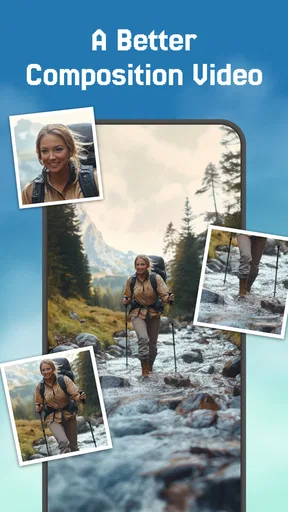
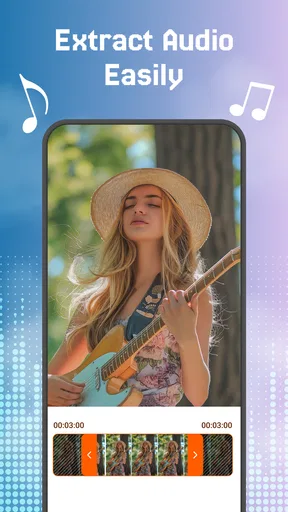
Our Review of Crop, Trim Video Editor
 Analysis by Appyee
When I want to rescue one useful moment from a video that has extra footage around it, I care more about getting the crop right than finding a screen full of advanced tools. Crop, Trim Video Editor is built around that kind of quick fix: its main appeal is being able to reshape and shorten a clip on a phone without turning a small edit into a large project. I find that focus useful, as long as I approach it as a handy editor for straightforward jobs rather than a replacement for a full video workstation.
Why cropping matters more than it sounds
Cropping changes what the viewer pays attention to. A clip can have a clear subject and still feel messy if too much of the frame is taken up by a distracting edge, empty space, or something I did not mean to record. Tightening the frame can make the same footage feel more intentional without adding titles, transitions, or other decoration.
That is the capability I would put first here. For a quick phone edit, the practical question is often not “How do I make a film?” but “Can I remove the awkward parts and keep the moment?” Trimming handles the beginning and end; cropping handles the composition inside the frame. Together, those two choices can make a clip easier to watch before I share it.
How the simple workflow helps
The basic approach is familiar: choose a clip, decide which part belongs in the finished version, and adjust the frame so the important subject remains visible. That makes the app approachable when I have only a few minutes and do not want to learn a complicated editing layout. I can think through the result as two separate decisions: first, what belongs in the timeline; then, what belongs in the picture.
One useful habit is to check the crop at both the start and end of the selected segment. A person may move across the frame, or a handheld shot may shift, so a crop that looks tidy on one still moment might cut off the subject later. I would preview the full selection before saving rather than judging it from a single frame. That small check can prevent an edit that looks neat in the editor but awkward in motion.
A realistic everyday use
Imagine taking a short video of a friend blowing out candles at a family gathering. The clip begins with the phone pointed too wide, includes a few seconds of repositioning, and ends after everyone has stopped reacting. I would trim away the setup and the tail, then crop toward the cake and faces so the final clip reads clearly on a phone screen. That is a modest edit, but it makes the moment easier to send to relatives or keep in a personal album.
The same logic works for a quick clip of a pet, a meal, or a street scene. Cropping can help when the subject is small in the original frame, but it is not magic: cutting away too much can make movement feel cramped or leave important context outside the picture. I would use the lightest crop that solves the distraction, especially if I might want to reuse the video somewhere with a different shape later.
Getting Started with Crop, Trim Video Editor
First off, downloading the app was a piece of cake. It's available for both Android and iOS, so no worries there. Once it was up and running, I was greeted with a sleek, user-friendly interface. Nothing too fancy, but sometimes simple is best, right? I mean, who needs a ton of clutter when all you want to do is snip a few seconds off a video?
The app immediately gives you the option to either record a new video or select one from your gallery. I decided to go with a clip I took at a concert last weekend. The sound was great, but there was this annoying part where my camera was pointing at the floor – classic me!
Editing Features Galore
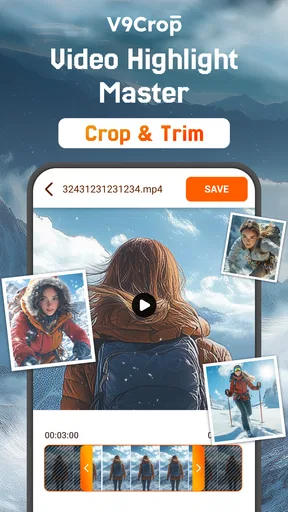
Now, onto the editing. The trimming feature is straightforward. You just drag the sliders to the start and end points you want, and bam, you've got a shorter, more polished video. What I love is how precise you can get with it. Need to cut just a millisecond? No problem. The Crop, Trim Video Editor lets you zoom in on the timeline for those super detailed edits.
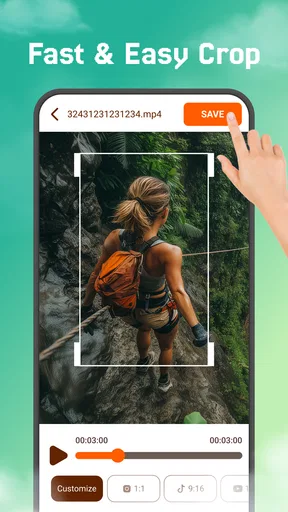
But wait, there's more! Cropping was the next feature I tried. Ever had those videos where you accidentally get too much of the background? This app’s got you covered. You can easily cut out unwanted areas, focusing on what truly matters in your footage.
Filters and Effects
Here’s where things get fun. Once I got my video trimmed and cropped, I decided to play around with the filters. The app offers a decent selection – from subtle lighting adjustments to more dramatic effects. I gave my concert clip a vintage look, which added a nice touch of nostalgia. It’s not like having a Hollywood editing suite in your pocket, but it gets the job done.
There are also options to adjust brightness, contrast, and saturation. I found these pretty handy, especially for those clips that are just a bit too dark or washed out. It’s amazing how a little tweak here and there can make a video pop.
Sharing Made Simple
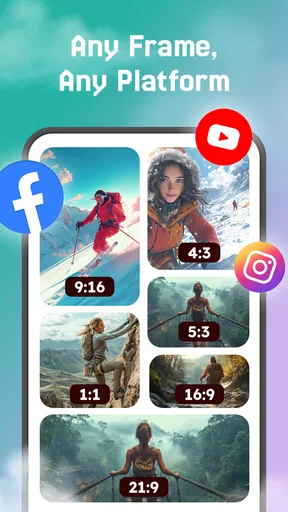
Once you're happy with your masterpiece, sharing it is a breeze. You can export the video in various resolutions, depending on where you plan to post it. Instagram, TikTok, YouTube – you name it. The app even suggests the best settings for each platform, which is a nice touch for those of us who aren’t quite sure about the techy stuff.
Uploading to social media directly from the app is seamless. I posted my newly edited concert video on Instagram, and I must say, it looked pretty darn good. The quality was spot-on, and my friends were impressed by my newfound editing skills.
Where it fits among other editors
Compared with a typical full-featured mobile editor, this app makes most sense when the job is limited to cleaning up a clip rather than building a more elaborate sequence. A broader editor is a better fit if I want a multi-track timeline, detailed audio mixing, layered titles, or precise control over a longer project. A phone’s built-in editor may be enough for a quick trim, but a dedicated crop-and-trim app can be more appealing when framing is the main problem I am trying to solve.
That trade-off is worth keeping in mind before installing it. A focused tool can reduce the time spent hunting through menus, but it also means I should not expect the depth of a desktop editing package. If I regularly make polished videos with several clips and carefully timed elements, I would choose a more comprehensive editor. If I mostly want to improve a single recording before sending it, the simpler route is easier to justify.
Small choices that improve the result
For portrait clips, I would check that a crop keeps faces and hands comfortably inside the frame instead of pressing them against an edge. For landscape footage, I would avoid cropping just to fill space unless the extra background is genuinely distracting. These checks matter because a tighter frame can help a subject stand out, but it can also remove the context that explains what is happening.
I would also keep an untouched copy of an important original before making a crop. A crop is a deliberate framing choice, and the version that works for one post may not suit a later use. Keeping the source gives me room to make a different cut without trying to reconstruct the original framing. This is especially useful for a family memory or a one-off event that cannot be recorded again.
What to expect from the app
Crop, Trim Video Editor is a free video-editing app from Eco Mobile Editor, with a 4.2 average from around 14,000 ratings and over one million installs. Its current version is 1.1.8, and it is listed for devices running Android 8.0 or later. The app is rated for Everyone, while optional in-app purchases range from $2.99 to $48.00 per item. I would treat the free entry point as a chance to see whether its workflow suits my clips, and check the purchase details in the app before paying for anything.
One question I would ask before editing is whether I need just a cleaner frame or a more involved production. For the first, cropping and trimming are a sensible starting point. For the second, it is better to choose an editor built around a broader timeline and more layered controls. Another practical question is whether the video will be reused in several formats: if so, I would preserve the source and make separate versions rather than committing to one crop too early.
There is also a difference between improving a recording and repairing it. Cropping can remove unwanted edges, but it cannot bring back a face that was never in the frame or make shaky footage steady. Trimming can remove a slow start, but it cannot fix muffled sound. I find it helpful to decide what the app can realistically improve before spending time adjusting a clip; that keeps a quick edit quick and avoids expecting a crop tool to solve unrelated recording problems.
Who is most likely to enjoy it
I would recommend it to someone who often shares short phone videos and wants a direct way to tidy the framing or remove dead time. It is also a reasonable choice for a casual user who finds bigger editors overwhelming and does not need their advanced controls. People who mainly archive clips for themselves may appreciate the same focused workflow when they want to keep a cleaner version without turning a small task into a hobby.
I would skip it if my everyday work depends on complex edits, extensive audio work, or detailed control across many clips. I would also look elsewhere if I need a particular advanced tool and do not see it in the workflow. The best editor is the one that matches the job: Crop, Trim Video Editor is at its most convincing when the task is a small, practical improvement, not a full production.
Final Thoughts
Overall, Crop, Trim Video Editor is a solid choice for anyone looking to dabble in video editing without the hassle of complex software. It’s perfect for quick edits on the go and ideal for social media enthusiasts. Sure, it might not replace professional editing tools, but for everyday users like us, it’s more than enough.
So, if you’re tired of long, unpolished videos taking up space on your phone, give this app a whirl. It’s easy to use, effective, and best of all, it makes you look like a pro to your friends. Happy editing!
Verdict
Strengths of Crop, Trim Video Editor
- User-friendly interface for quick edits.
- Wide range of export options available.
- Supports multiple video formats.
- High-quality output with minimal loss.
- Regular updates enhance functionality.
Limitations of Crop, Trim Video Editor
- Limited advanced editing features.
- Ads can be distracting during use.
- In-app purchases can add up.
- No support for 4K video exports.
- Occasional crashes on older devices.
Other Releases by Eco Mobile Editor
View All
Photo Video Maker With Music
Video Players & Editors4.5

Screen Recorder - G1REC
Video Players & Editors4.7

Compress, Reduce Video Size
Video Players & Editors4.2
Similar Picks in This Category
View All
Google TV
Google LLC3.9

iTunes
Apple4.7

YouTube
Google LLC3.8

MX Player
Amazon Mobile LLC4.2

CapCut - Video Editor
Bytedance Pte. Ltd.3.5

PLAYit-All in One Video Player
PLAYIT TECHNOLOGY PTE. LTD.4.5
Frequently Asked Questions
What features does Crop, Trim Video Editor offer?
Crop, Trim Video Editor provides a comprehensive suite of tools for video editing, including cropping, trimming, merging, and adding effects. Users can also apply filters, adjust video speed, and include music or voiceovers. The app supports multiple video formats and resolutions, ensuring compatibility with various platforms.
Is Crop, Trim Video Editor user-friendly for beginners?
Yes, Crop, Trim Video Editor is designed with an intuitive interface that is easy to navigate, making it suitable for beginners. The app provides step-by-step guides and tutorials, helping new users learn how to use the editing tools effectively without feeling overwhelmed.
Does Crop, Trim Video Editor support high-resolution video editing?
Absolutely. Crop, Trim Video Editor supports high-resolution video editing, including 4K. This ensures that your edited videos maintain their quality, making it an excellent choice for professional content creators who require high-definition output.
Are there any in-app purchases or subscriptions required?
Crop, Trim Video Editor offers a free version with basic features, but advanced tools and effects are available through in-app purchases or a subscription model. Users can choose between a monthly or yearly plan to unlock the full potential of the app's features.
Can I share my edited videos directly from the app?
Yes, Crop, Trim Video Editor allows you to share your edited videos directly to popular social media platforms such as Instagram, Facebook, and YouTube. The app provides optimized settings for each platform, ensuring your videos are uploaded in the best possible quality.
